> ## Documentation Index
> Fetch the complete documentation index at: https://vendo-mintlify-24213046.mintlify.site/llms.txt
> Use this file to discover all available pages before exploring further.
# Connected accounts
> Each user connects their own Gmail, Slack, or GitHub once, and every later tool call runs as that user.
## The picture
No user token enters your server. The broker holds the credential and runs the call.
```mermaid theme={null}
flowchart LR
U["Your user
signed in to your product"]
CARD["Connect card
one OAuth popup"]
BROKER["Cloud broker
holds the credential"]
ACCT["Their Gmail
their account, not yours"]
U --> CARD --> BROKER --> ACCT
ACCT -. "runs as them, every time after" .-> U
classDef yours fill:#ffffff,stroke:#c9c5d6,stroke-width:1px,color:#15141b
classDef vendo fill:#f5f1ff,stroke:#ddd0ff,stroke-width:1px,color:#4a22bd
class U,ACCT yours
class CARD,BROKER vendo
```
A connection is keyed to the Vendo principal's subject. One user can never read, use, or disconnect another user's account.
## Naming the services
With a Cloud key and nothing else, the agent gets one tool that lists what this product can connect to and one that asks the user to connect it. Name the services in `connectedAccounts` when you want their tools in the agent's hands from the start.
```ts app/api/vendo/[...vendo]/route.ts focus={6} theme={null}
import { createVendo } from "@vendoai/vendo/server";
const vendo = createVendo({
principal: resolvePrincipal,
instructions: "...",
connectedAccounts: ["gmail", "slack"],
});
```
Those names scope three things at once — the tools the agent sees, the accounts the connect surface offers, and the catalog it advertises — so they can never drift apart.
An empty array is a choice, not silence: `connectedAccounts: []` scopes the connect surface to nothing, while leaving the key unset lets `VENDO_API_KEY` advertise the whole catalog.
Service names used to go in `connectors`. They still work there for one more minor and warn once; `connectors` is for [connector objects](/capabilities/connectors), where **you** hold the one credential. Naming a service in both keys is refused at boot rather than merged, because which key scopes the connect surface would be a guess.
## The connect card
A tool call for a service the user has not connected never reaches the guard. The call comes back `connect-required`, and the thread renders the ask in place.
A popup opens on the broker's own consent page. Your product never renders an OAuth screen.
The user finishes in the popup and it closes itself.
No re-prompting. The turn picks up where it stopped.
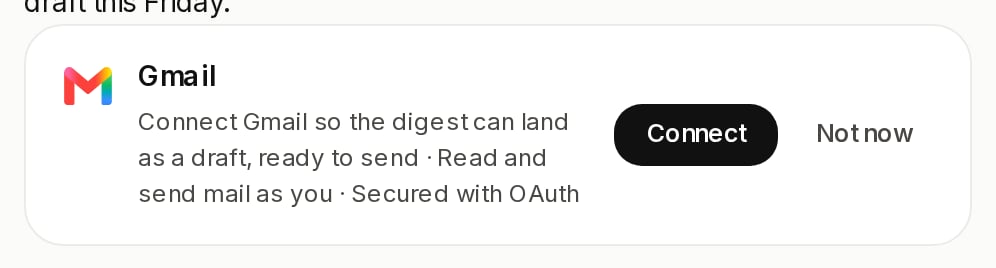 The agent can also raise the ask on its own, before calling anything, when the request plainly needs a service the user has not connected.
## Managing accounts
The `useConnections` hook reads the signed-in user's accounts and disconnects them. Render it wherever you already handle user settings.
```tsx theme={null}
const { connections, disconnect, isLoading } = useConnections();
```
The shipped thread also carries a connect dock: a badge counting active accounts, and a tray listing everything connectable.
The agent can also raise the ask on its own, before calling anything, when the request plainly needs a service the user has not connected.
## Managing accounts
The `useConnections` hook reads the signed-in user's accounts and disconnects them. Render it wherever you already handle user settings.
```tsx theme={null}
const { connections, disconnect, isLoading } = useConnections();
```
The shipped thread also carries a connect dock: a badge counting active accounts, and a tray listing everything connectable.
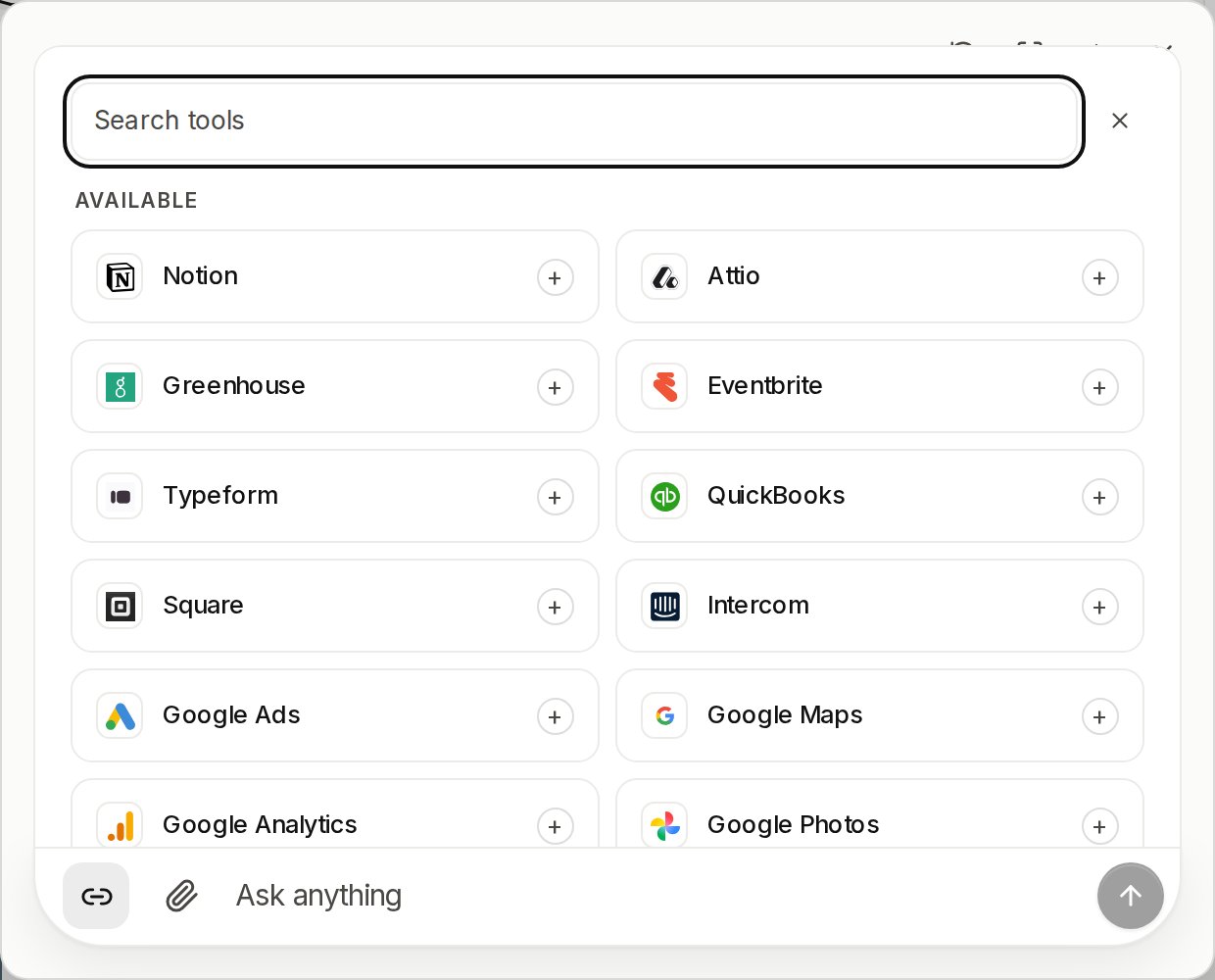 Building your own surface instead? The [connection routes](/reference/http-routes) all resolve the subject from the session — there is no caller-supplied subject and no cross-user read. Connecting needs a signed-in person: an ephemeral principal is refused, because an external account would outlive it.
## What the guard sees
A connector tool's risk comes from the provider's own tags and nothing else, so an untagged tool is `ungraded` and the guard asks about it on every call. Pin the grade of any tool by name in [`.vendo/overrides.json`](/reference/tool-overrides) and your grade wins — including for a tool the agent reached by searching the provider's catalog, which the file names by the provider's own tool id.
Every connector call is audited with the account identity behind it: the connector, the toolkit, and the subject it ran as. That identity is stripped from the outcome the model and the UI see.
Building your own surface instead? The [connection routes](/reference/http-routes) all resolve the subject from the session — there is no caller-supplied subject and no cross-user read. Connecting needs a signed-in person: an ephemeral principal is refused, because an external account would outlive it.
## What the guard sees
A connector tool's risk comes from the provider's own tags and nothing else, so an untagged tool is `ungraded` and the guard asks about it on every call. Pin the grade of any tool by name in [`.vendo/overrides.json`](/reference/tool-overrides) and your grade wins — including for a tool the agent reached by searching the provider's catalog, which the file names by the provider's own tool id.
Every connector call is audited with the account identity behind it: the connector, the toolkit, and the subject it ran as. That identity is stripped from the outcome the model and the UI see.